States, Code Adoption Map & Economic Impact
How to edit data on the Code Adoption and Economic Impact maps.
1. Navigate to https://awc.org/wp-admin/, and click “States”.
Section titled “1. Navigate to https://awc.org/wp-admin/, and click “States”.”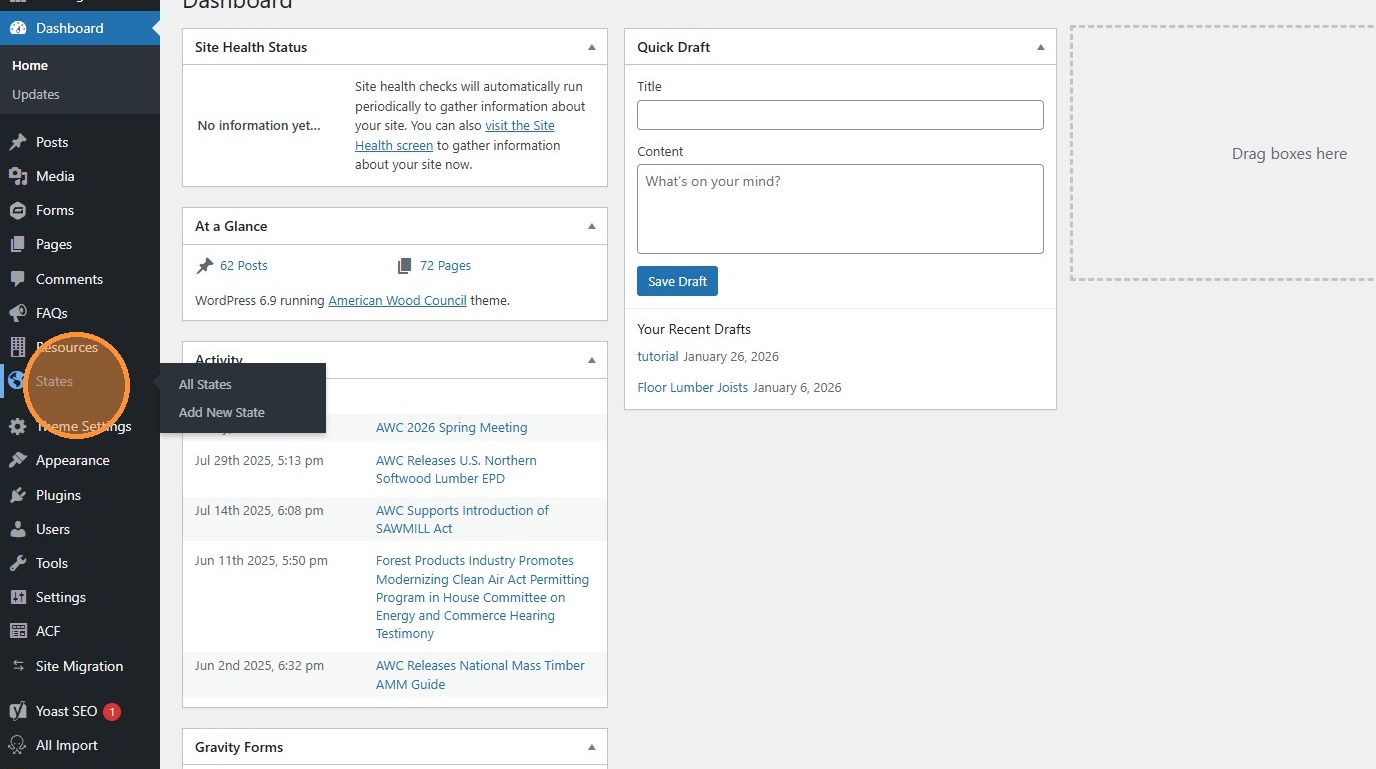
2. Click “Edit” to change the details of a state. All the information we store on site related to each state is contained here.
Section titled “2. Click “Edit” to change the details of a state. All the information we store on site related to each state is contained here.”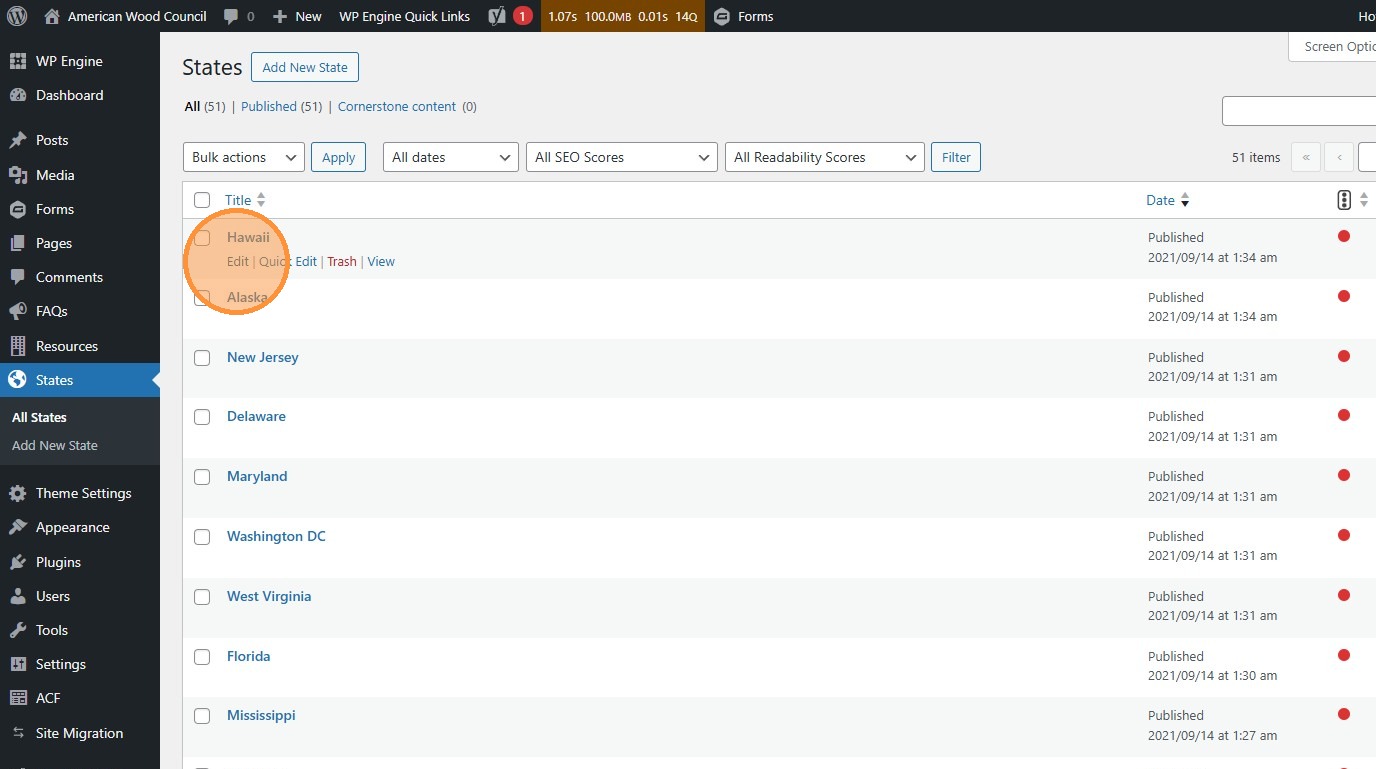
3. Click anywhere on a bar to expand details.
Section titled “3. Click anywhere on a bar to expand details.”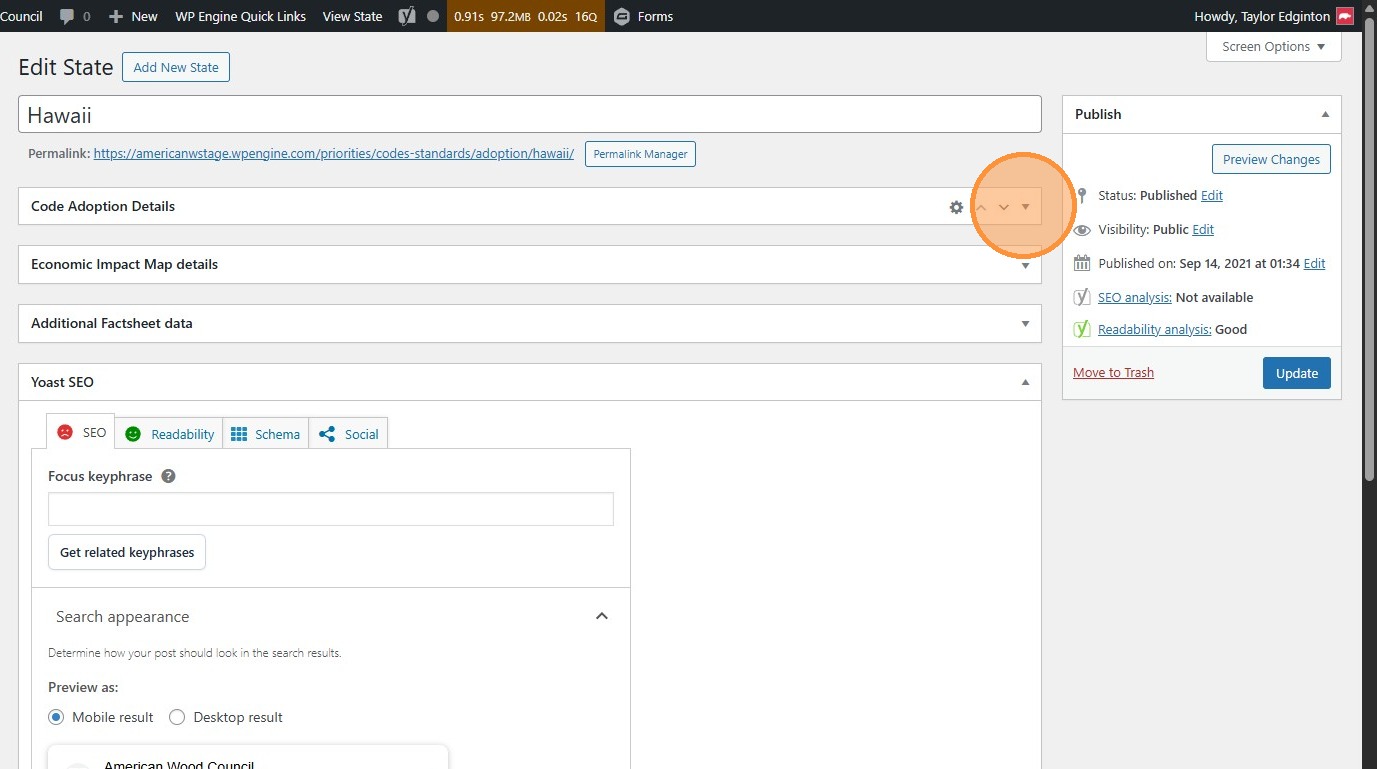
4. Click “Code Adoption Details” to edit details related to that.
Section titled “4. Click “Code Adoption Details” to edit details related to that.”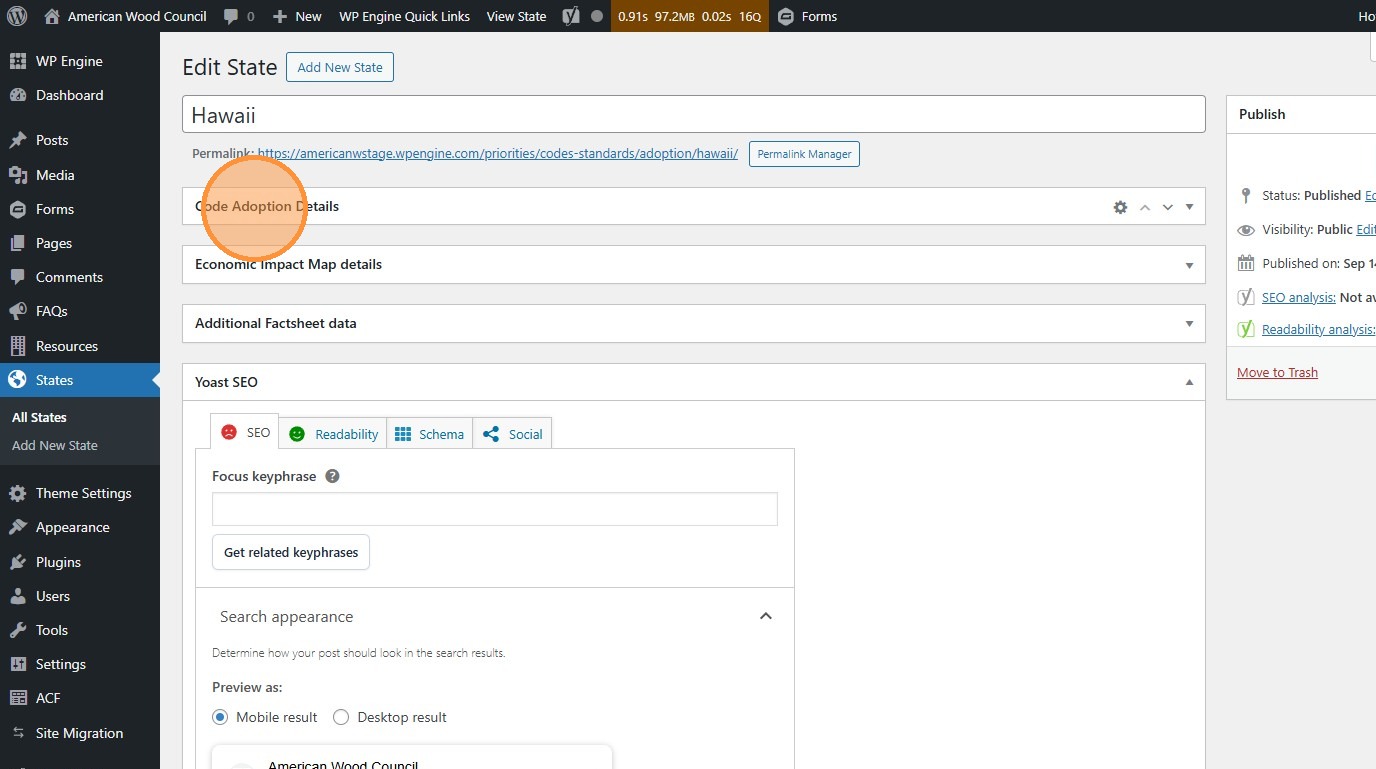
5. Those details will appear on the state’s own code adoption page, linked from https://awc.org/priorities/codes-standards/adoption
Section titled “5. Those details will appear on the state’s own code adoption page, linked from https://awc.org/priorities/codes-standards/adoption”Let’s take a look at Hawaii’s as an example…
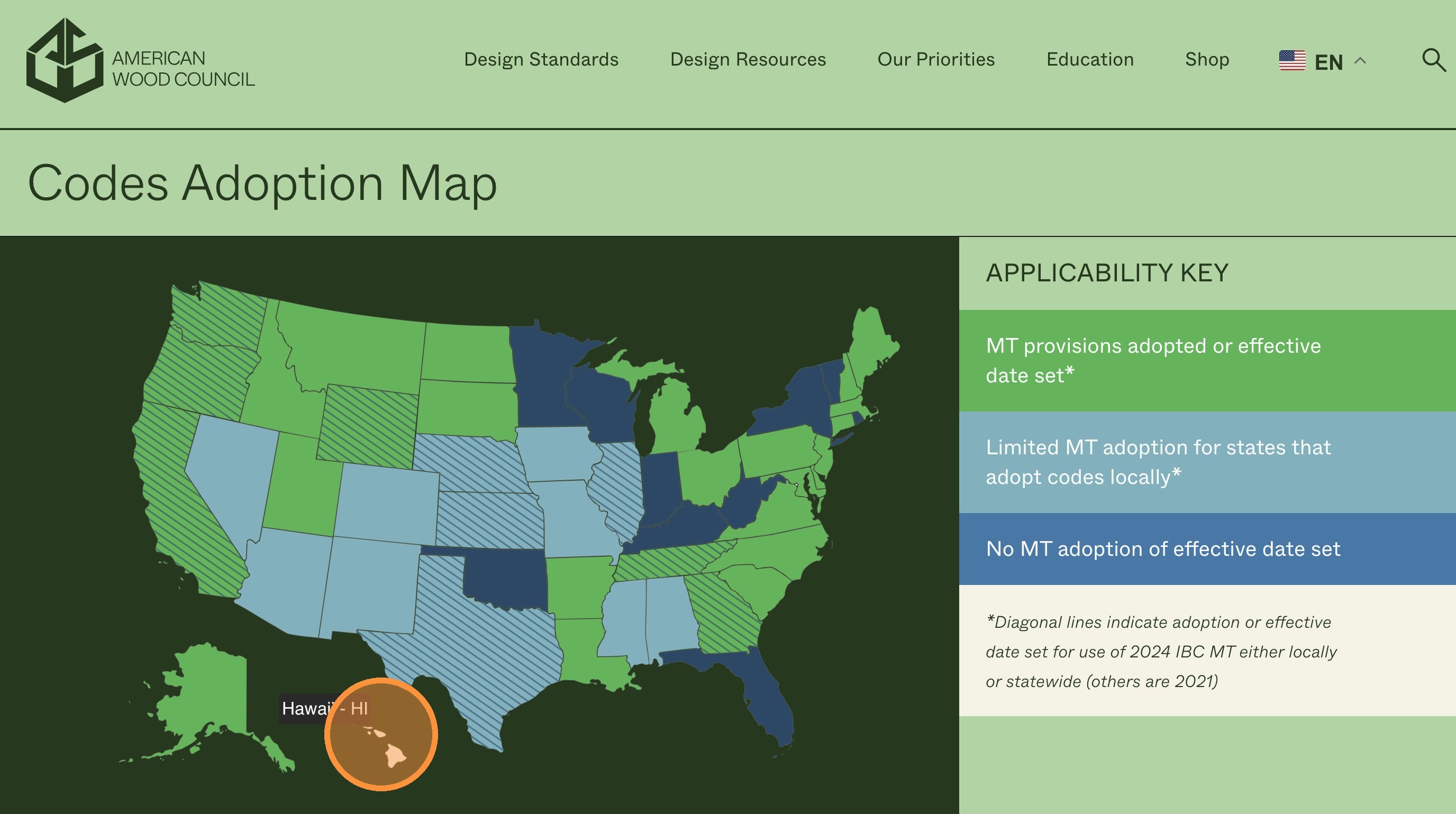
6. The “Code Adoption Details” module includes data that appears here.
Section titled “6. The “Code Adoption Details” module includes data that appears here.”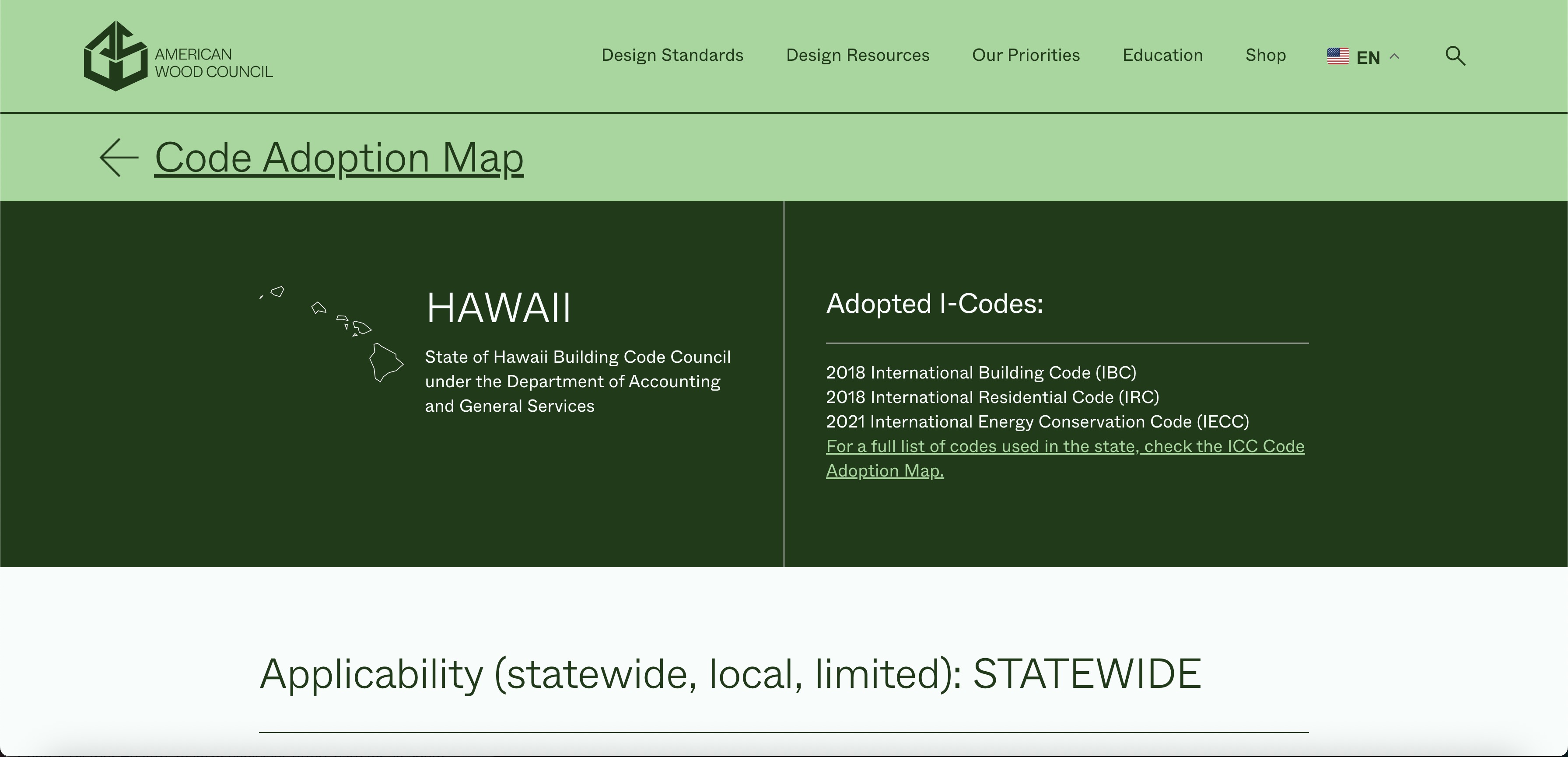
7. Click “Economic Impact Map details” to edit details that will appear on https://awc.org/priorities/economic-impact/
Section titled “7. Click “Economic Impact Map details” to edit details that will appear on https://awc.org/priorities/economic-impact/”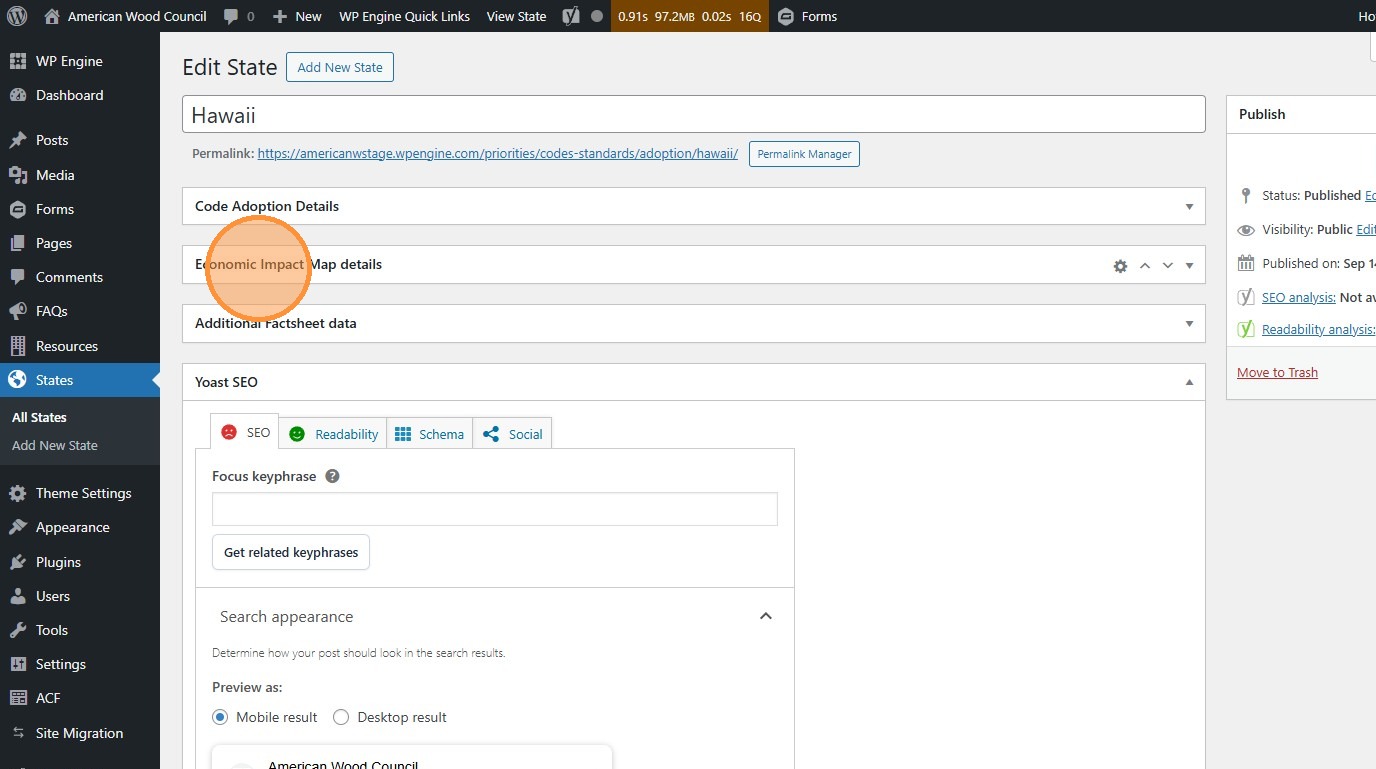
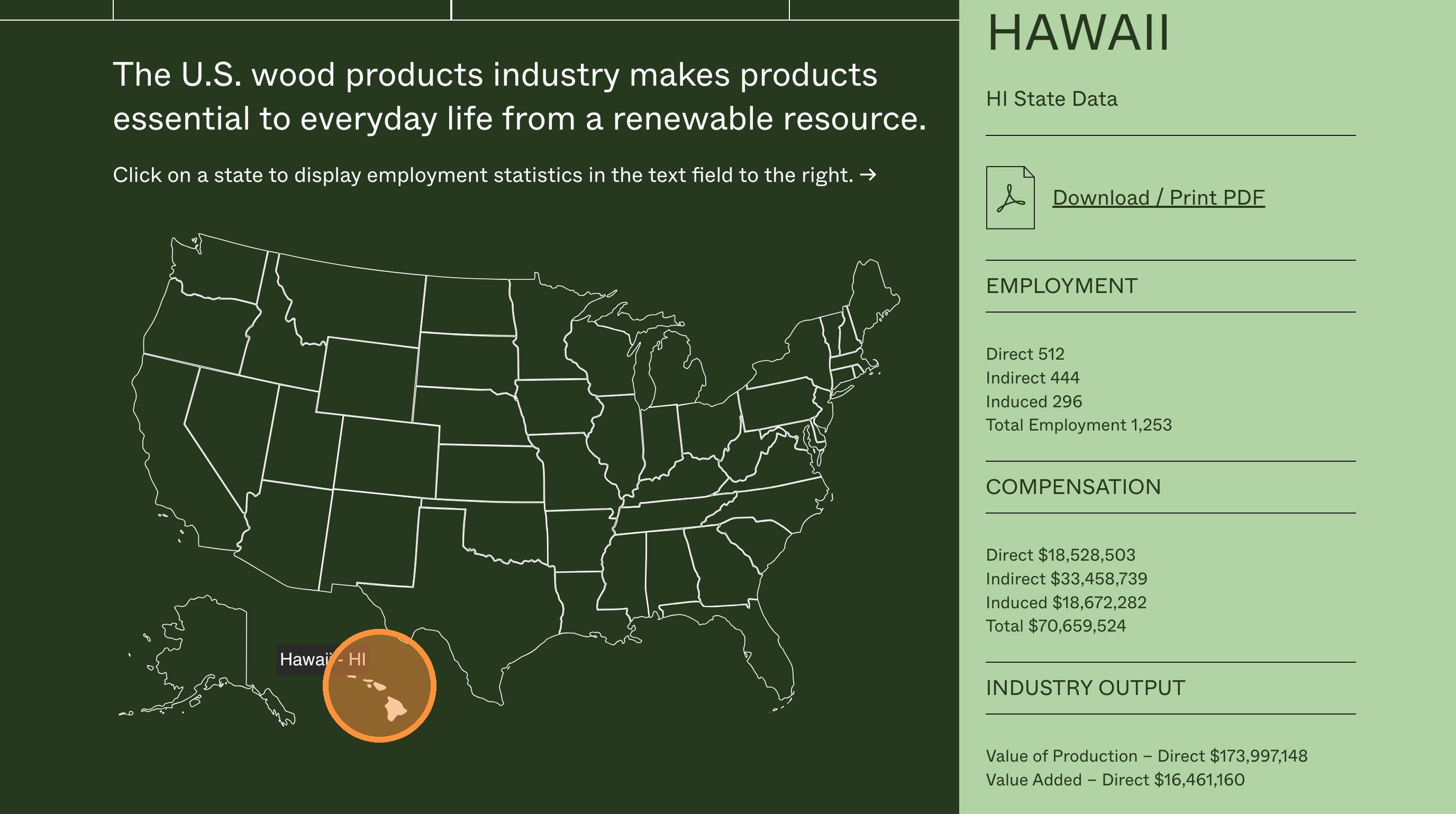
8. The “Economic Impact Map” module includes data that appears here.
Section titled “8. The “Economic Impact Map” module includes data that appears here.”Clicking on a state on the Economic Impact Map will not open a new page. Instead, the information is displayed as a tab on the right.
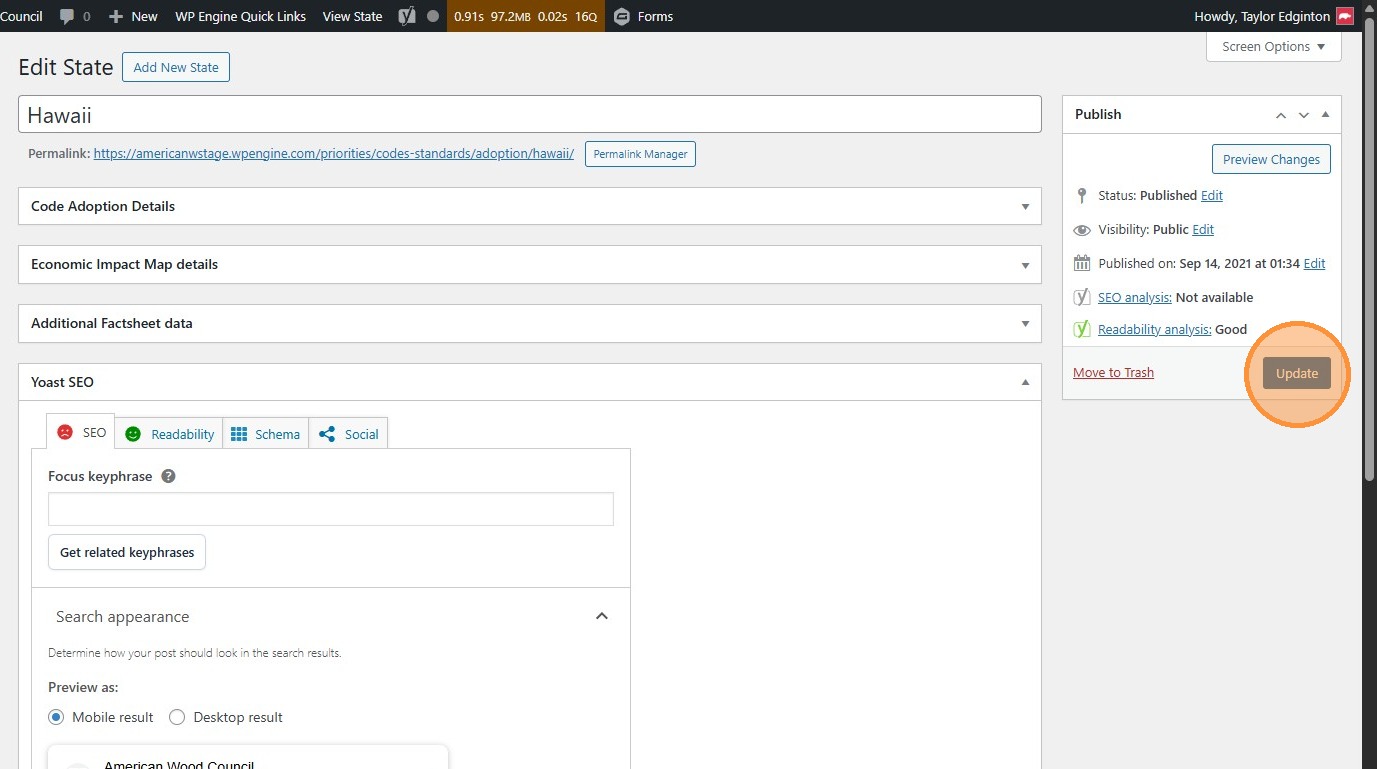
9. Click “Update” to publish your changes to the live site.
Section titled “9. Click “Update” to publish your changes to the live site.”